My CI/CD Deployment Strategy for Node.js
A push to the prod branch deploys a Node.js app with GitHub Actions, SSH, and PM2, and reloads the process without taking it down.
Overview
This is my personal guide to a modern CI/CD (Continuous Integration/Continuous Deployment) pipeline for Node.js apps. I use GitHub Actions, SSH, and PM2 to make sure every push to the prod branch results in a secure, automated, and zero-downtime deployment to my production server.
Server Steps
- Server Setup On my server, I run:
cd /home/$(whoami)
bash app/scripts/server-setup.sh
Github Secrets Configuration I add these secrets to my GitHub repository (Settings → Secrets and variables → Actions):
- HOST: My server's IP address or domain name
- USERNAME: The Linux username I use for deployment
- SSH_KEY: The private SSH key (the entire content of my ~/.ssh/id_rsa or ~/.ssh/id_ed25519 file)
- PORT: SSH port (usually 22)
Branch Setup
- main: My development branch
- prod: My production branch (triggers deployment)
My Deployment Workflow
- Develop on main branch
git checkout main
# Make changes
git add .
git commit -m "Describe your change"
git push origin main
- Deploy to production
git checkout prod
git merge main
git push origin prod
- GitHub Actions automatically:
- Runs tests (if any)
- Builds the application
- Deploys to my server
- Restarts the PM2 process
Monitoring
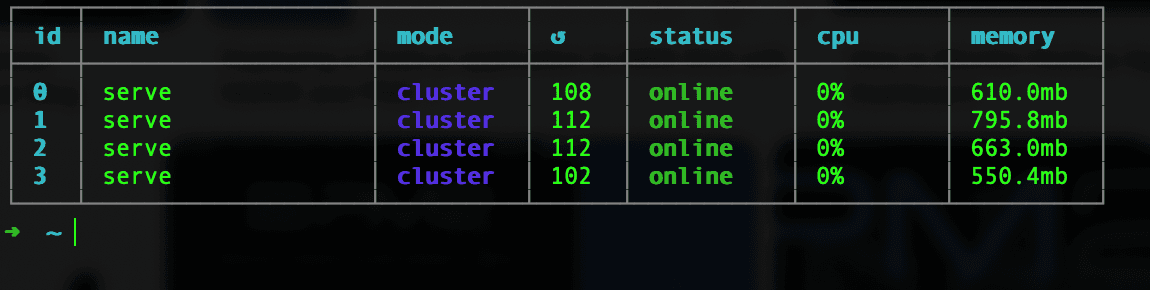
To check deployment status on my server:
pm2 status
pm2 logs my-app
I also check the GitHub Actions tab for workflow logs.
Troubleshooting
Common Issues I’ve Encountered:
- Permission denied during deployment
- I double-check my SSH key and username in the secrets
- PM2 process not found
- I run pm2 start ecosystem.config.js manually if needed
- Build fails
- I make sure my
package.jsonscripts and Node.js version are correct
- I make sure my
Directory Structure
Server:
/var/www/my-app/   # Main app directory
/home/user/backups/           # Automatic backups
/home/user/.pm2/              # PM2 config

GitHub:
main branch           # Development
prod branch           # Production (triggers deployment)
.github/workflows/    # GitHub Actions
Why I Like This Strategy
- ✅ Automated deployment – Push to prod = live update
- ✅ Backups – Automatic before each deployment
- ✅ Zero-downtime – PM2 restarts gracefully
- ✅ Easy rollback – I can revert using backups or git
- ✅ Monitoring – GitHub Actions and PM2 logs show me everything
Security Notes
I keep my SSH keys secure and rotate them regularly Only trusted team members have access to the prod branch For private repos, I use deploy keys if needed
This setup has made my deployments fast, safe, and reliable. Happy deploying! 🚀
Complexity has Disposition, not Predictability” – Liz Keogh